cURL for Beginners: Getting Started Guide
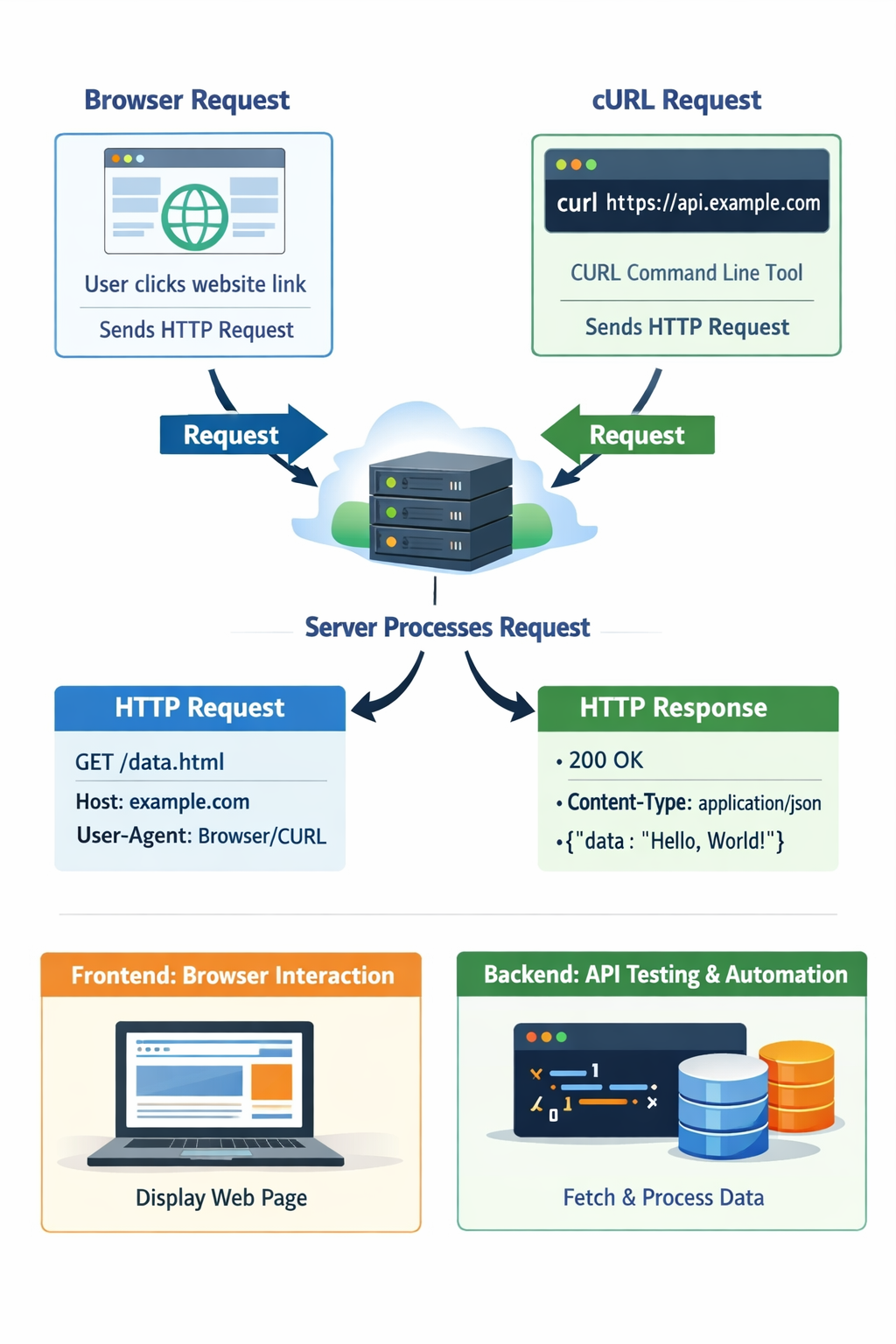
What is cURL?
A tool that lets your computer talk to other computers on the internet using commands. That’s it.
You type a command.
cURL sends a request over the internet.
Another computer (server) replies.
cURL shows you the reply.
You don’t see buttons, images, or UI. You only see raw data.
Why programmers need cURL
Browsers:
Automatically send headers
Hide request details
Show you prettified pages
Don’t let you fully control requests
Programmers need:
Control
Visibility
Debugging power
What cURL helps you do:
Test APIs without writing code
See exact request/response
Debug backend issues
Automate server communication
Making your first request using cURL
curl https://api.github.com
cURL sent an HTTP request
Server replied with a response
cURL printed the response body
You’ll see:
JSON data
Not a webpage
Raw response
Understanding request and response
Request (You → Server)
You say:
Where do you want to go?
What do you want?
Any extra info
Response (Server → You)
Server replies:
Status (success or error)
Data
Extra info
Request contains:
Method: GET, POST, PUT, DELETE
URL: where to send request
Headers: metadata (like identity, format)
Body (optional): data you send
Response contains:
Status code (200, 404, 500)
Headers
Body (HTML, JSON, text)
Using cURL to talk to APIs
GET request (fetch data)
curl https://api.example.com/users
Server replies:
[
  { "id": 1, "name": "Manoj" }
]
POST request (send data)
curl -X POST https://api.example.com/users \
  -H "Content-Type: application/json" \
  -d '{"name":"Manoj"}'
Breakdown:
-X POST→ method-H→ header-d→ body data
You just:
Created a user
Without frontend
Without backend code
Only using terminal
common mistakes beginners make with cURL
Forgetting HTTP method
Missing headers
Not checking response status
Thinking cURL is only for backend devs
Conclusion
cURL lets you act as a client and talk directly to servers using HTTP, see raw JSON responses, and debug APIs without any browser or UI but with just using commands.
