Discover Emmet for HTML: Write Markup Faster for Beginners
Why Emmet exists?
Imagine writing plain HTML without Emmet
<div class="card">
  <h1>Title</h1>
  <p>Description</p>
</div>
You had to:
Type every
< >Repeat closing tags
Carefully nest elements
Avoid typos
This gets annoying fast when your page grows.
Emmet exists to remove this pain.
What is Emmet ?
Emmet is a shortcut language for writing HTML faster.
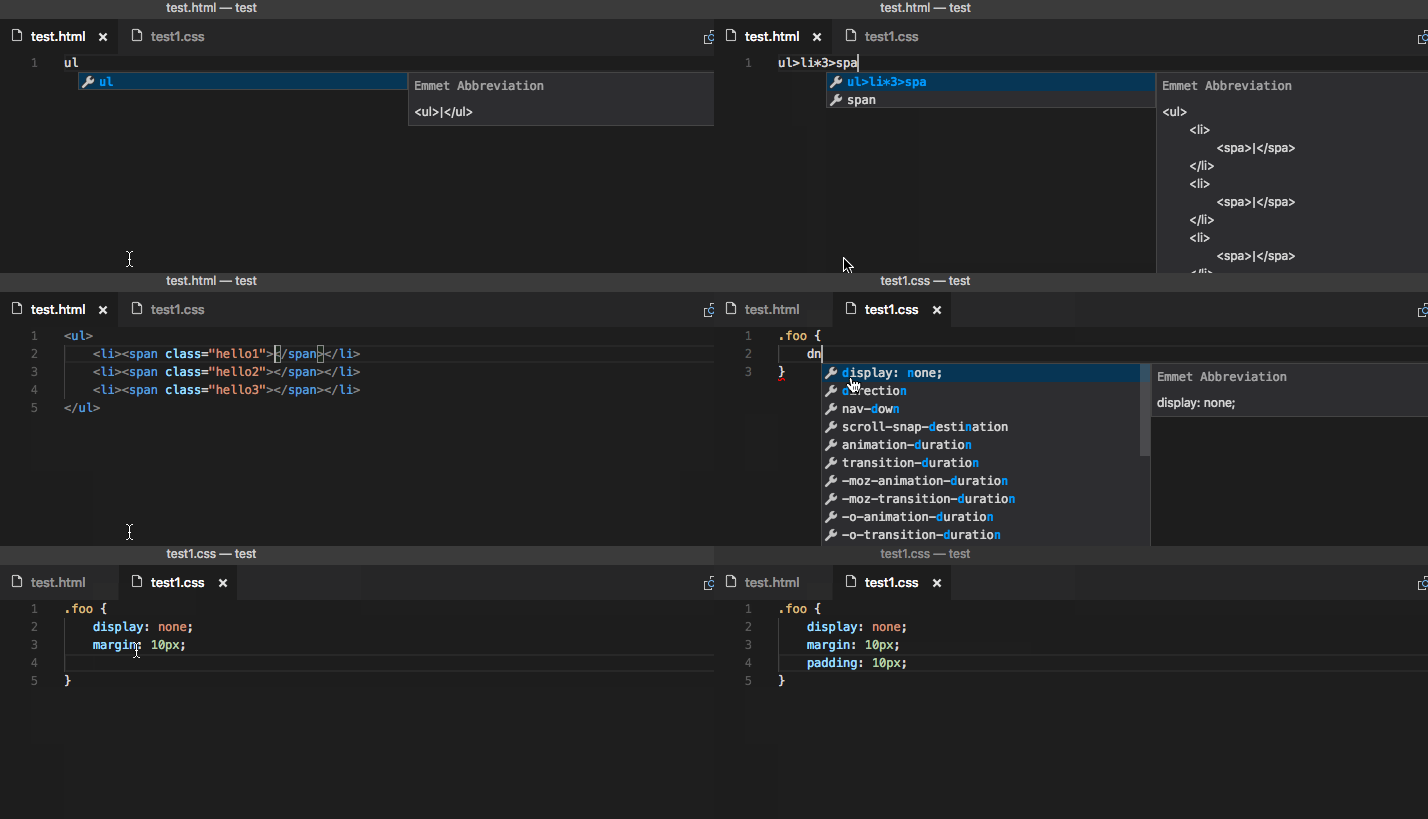
You type short expressions, press Tab, and your editor expands them into full HTML.
Think of it like:
Shorthand → Full HTML
Why Emmet is useful for HTML beginners ?
For beginners, Emmet helps because:
You focus on structure, not typing
Less syntax errors
You understand nesting visually
Faster practice = faster learning
How Emmet works inside code editors ?
Emmet is built-in in most modern editors
VS Code supports it out of the box
How it works:
You type an Emmet abbreviation
Press Tab
HTML appears
No setup needed in VS Code.
Basic Emmet syntax
| Symbol | Meaning |
div | element |
> | child (inside) |
+ | sibling |
. | class |
# | id |
* | repeat |
Creating HTML elements using Emmet
Example
Emmet
div
⬇ Press Tab
HTML
<div></div>
Adding classes, IDs, and attributes
Class
Emmet
div.container
HTML
<div class="container"></div>
ID
Emmet
div#main
HTML
<div id="main"></div>
Attributes
Emmet
input[type="text" placeholder="Enter name"]
HTML
<input type="text" placeholder="Enter name">
Creating nested elements
Example
Emmet
div>h1+p
HTML
<div>
  <h1></h1>
  <p></p>
</div>
Read it as:
div contains h1 and p
Repeating elements using multiplication
Example
Emmet
ul>li.item*3
HTML
<ul>
  <li class="item"></li>
  <li class="item"></li>
  <li class="item"></li>
</ul>
Generating full HTML boilerplate
Emmet
!
Press Tab.
HTML
<!DOCTYPE html>
<html lang="en">
<head>
  <meta charset="UTF-8">
  <title>Document</title>
  <meta name="viewport" content="width=device-width, initial-scale=1.0">
</head>
<body>

</body>
</html>
How you should practice Emmet
Type Emmet command → Press Tab → See result.
Don’t copy-paste.
Try one line at a time.
Use it while building real pages.
Recommended editor: VS Code.
Conclusion
Emmet doesn’t replace HTML knowledge, it removes typing friction so you can focus on structure.
Type it yourself, expand one line at a time, and use it while building real pages to actually learn it.
